
Quality & safety
Raise and answer technical queries (TQs)
Ask engineering a question, get a recorded answer, and stop work waiting on emails.
3 min
- 1
Raise a TQ
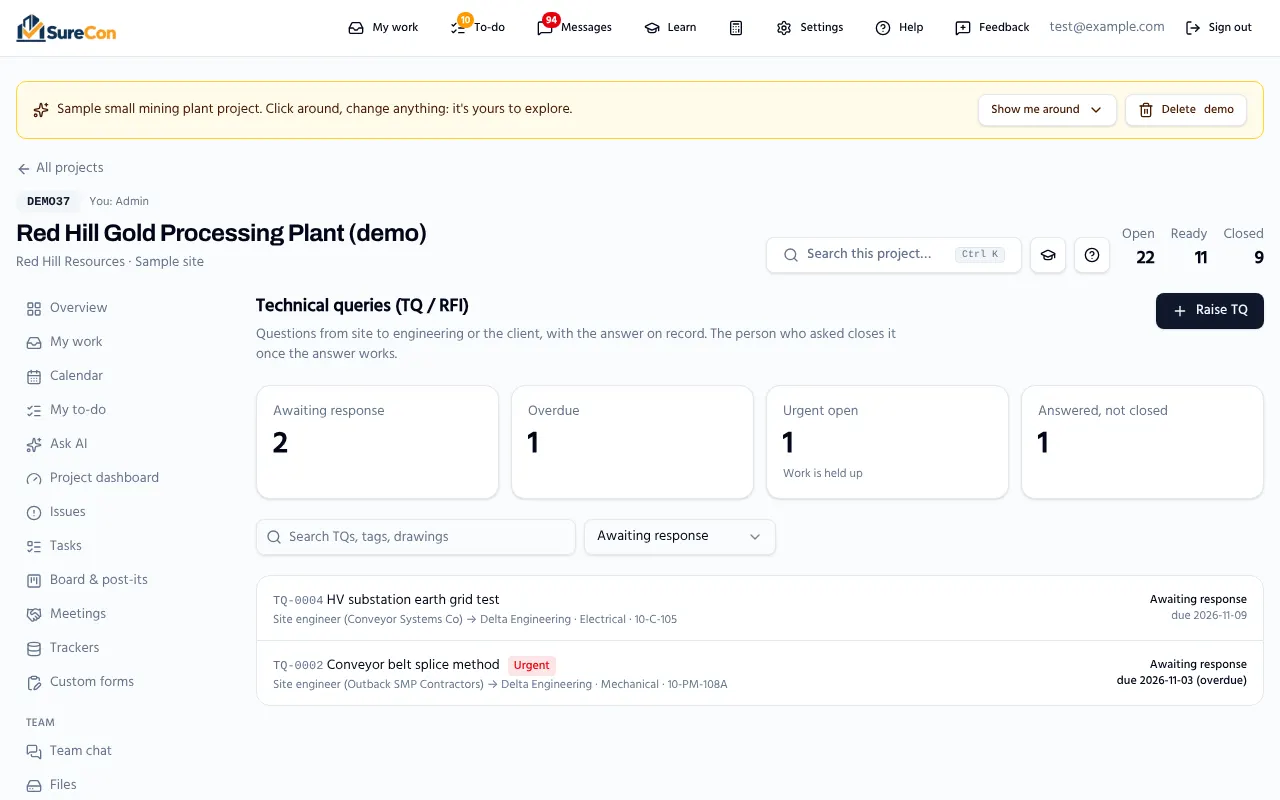
Engineering & documents → Technical queries → Raise TQ. Write a clear subject and question, choose who it's addressed to, the discipline and a 'response needed by' date.
- 2
Set the priority
Choose Urgent (work is held up) only when the crew is actually stopped. Urgent open TQs are counted at the top of the list.
- 3
Link it
Add the subsystem, tag and drawing number so the answer can be found later from any of them.
- 4
Answer it
The person it's addressed to writes the response on the TQ. It then shows as Answered, not closed.
- 5
Accept and close, or reopen
The person who raised it reads the answer and closes it, or reopens it with a comment if the answer doesn't settle the question.