
Field work
View drawings and pin issues on them
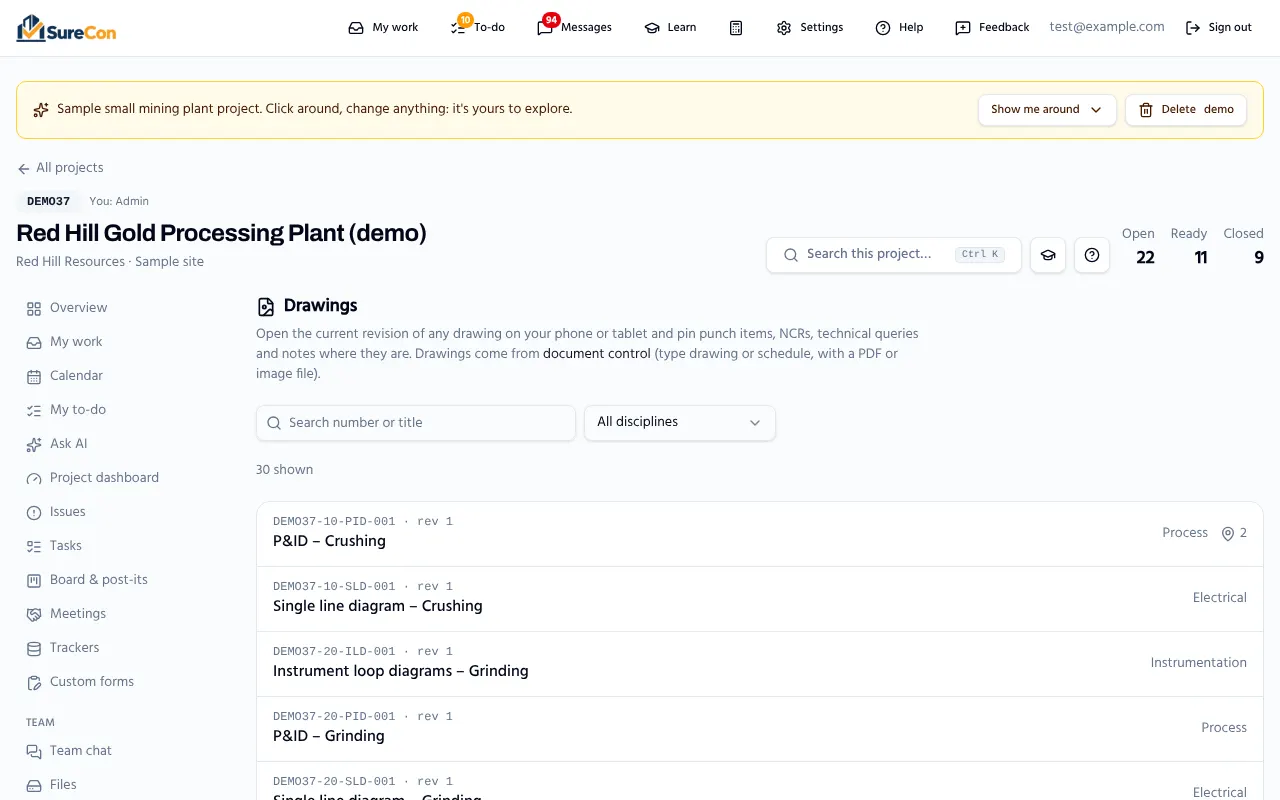
Open the current revision on site, zoom in and drop pins for punch items, NCRs and notes.
4 min
- 1
Get drawings into SureCon
Register drawings in Documents (type Drawing or Schedule) and upload a revision with a PDF or image file.
- 2
Open a drawing
Completions → Drawings. Search by number or title, or filter by discipline. The current revision always opens first.
- 3
Zoom and move between sheets
Use + and − to zoom, and Previous sheet / Next sheet on multi-page drawings.
- 4
Drop a pin
Tap Add pin, then tap the spot. Raise a new punch item there, link an existing punch item, NCR or technical query, or leave a note.
- 5
Follow up
Pins are coloured by status: red open, amber waiting, green done. Tap a pin to open its record. Punch items, NCRs and queries link back to the drawings they're pinned on.