
Tools
Message your team and comment on anything
Team chat, direct and group messages, and discussions with @mentions on every record.
- 1
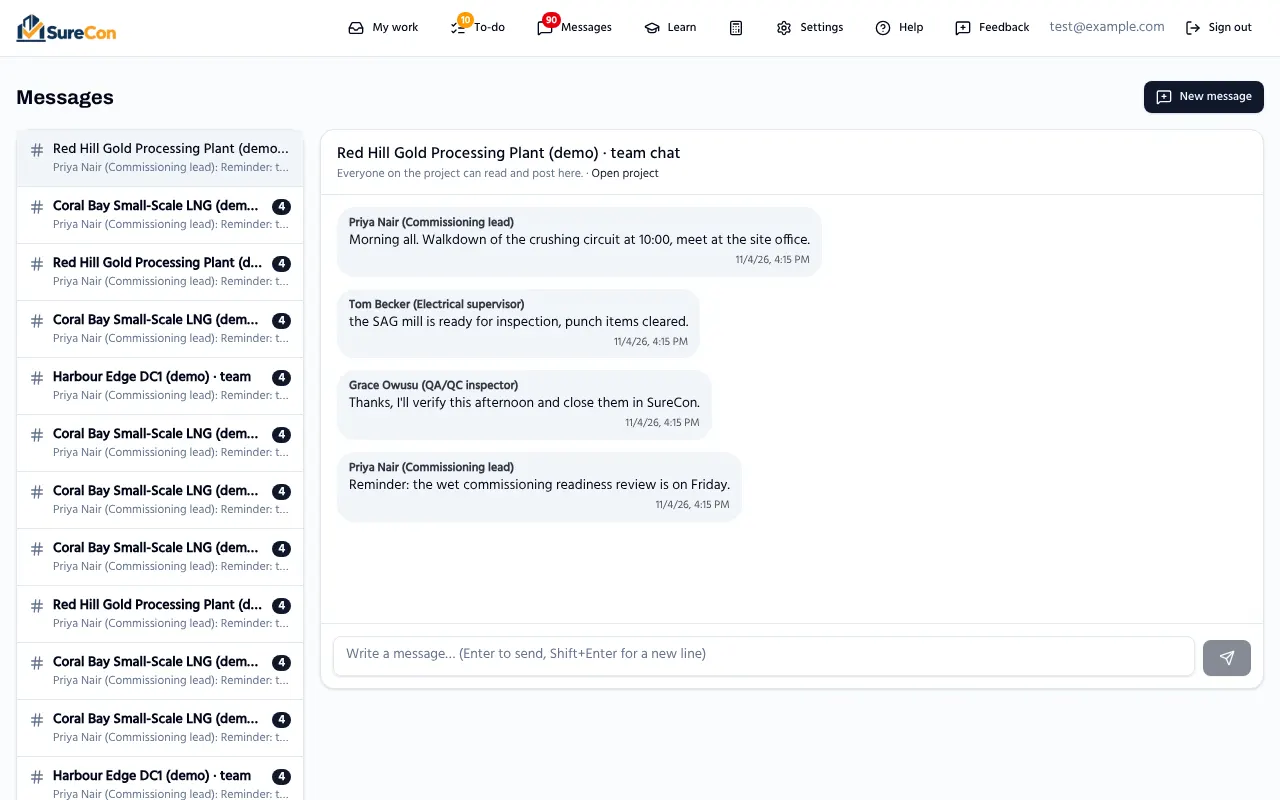
Use the project's team chat
Every project has a team chat for everyone on it: Team → Team chat in the project menu. Good for site-wide notices, walkdown times and quick questions.
- 2
Message one person or a group
Messages (top of the screen) → New message. Pick one person for a direct message, or several for a group and give it a name. You can message anyone you share a project or company with.
- 3
Comment on a record
NCRs, technical queries, changes, documents, drawings, tags, check sheets, certificates, meetings, daily logs, specifications and shared folders all have a Discussion at the bottom. Ctrl+Enter posts.
- 4
Bring someone in with @
Type @ and start a name, then pick the person. They get a message in SureCon with a link straight to the item, and an email.
- 5
Keep up
The red number on Messages shows what you haven't read. Messages are private to the people in them and never appear in the project's activity log.