
Tools
Share files in project folders
Contracts, markups, photos, letters and reports in folders everyone on the project can reach.
3 min Anyone on the project can upload. Uploaders, admins and inspectors can delete; admins and inspectors manage folders.
- 1
Open Files
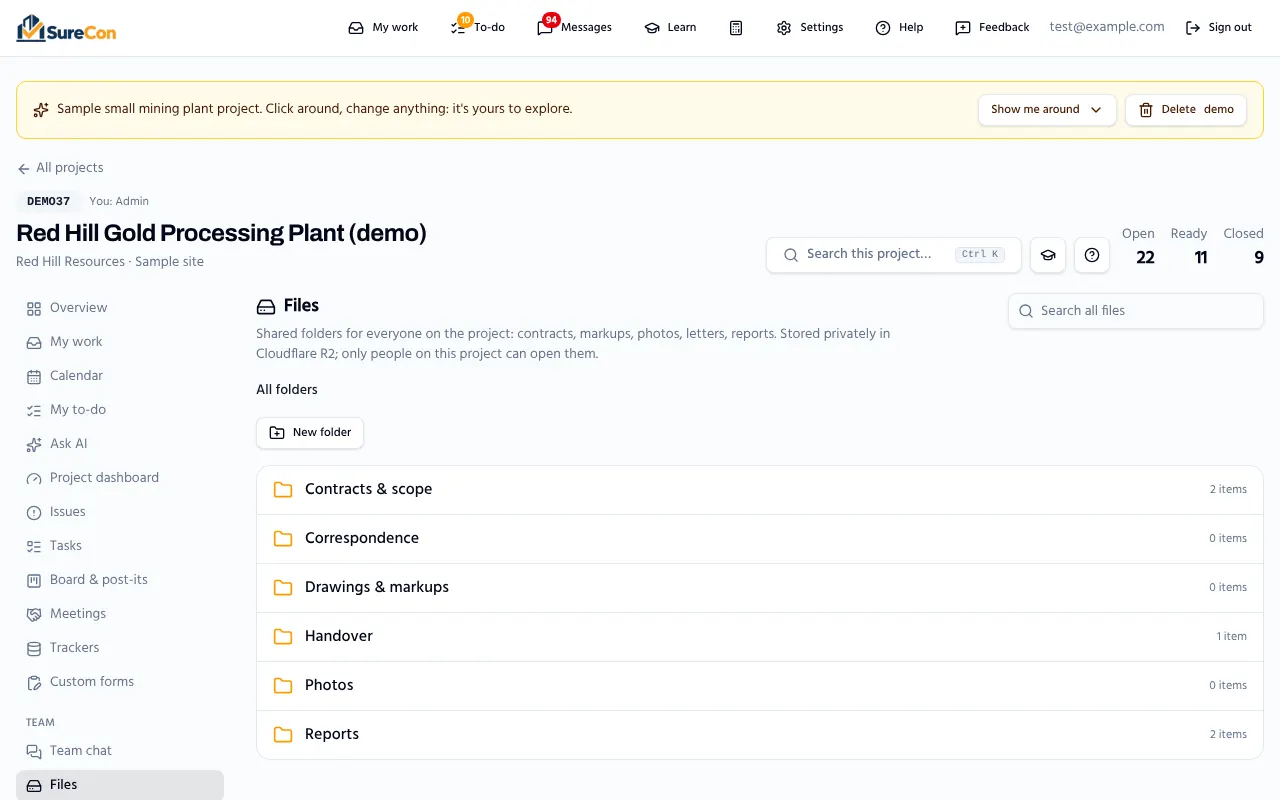
Team → Files in the project menu. Each project starts with folders for contracts & scope, drawings & markups, photos, correspondence, reports and handover.
- 2
Upload
Open a folder and choose Upload files. Pick several at once; each can be up to 50 MB. Files are stored privately and only people on the project can open them.
- 3
Organise
New folder adds a sub-folder. The pencil on a file renames it, adds a description or moves it to another folder.
- 4
Find and open
Search all files finds a file in any folder. PDFs and images open in the browser; everything else downloads.
- 5
Delete safely
Deleting a file or folder can be undone straight away, or restored from Activity & undo for 30 days.