
Start here
Add systems and import your tag register
Set up the structure everything else hangs on, and get check sheets for every tag.
8 min Admins and inspectors.
- 1
Create systems and subsystems
Setup → Systems. Each subsystem has a code (e.g. 10-01) and belongs to a system. You can import them from a spreadsheet.
- 2
Prepare the tag register
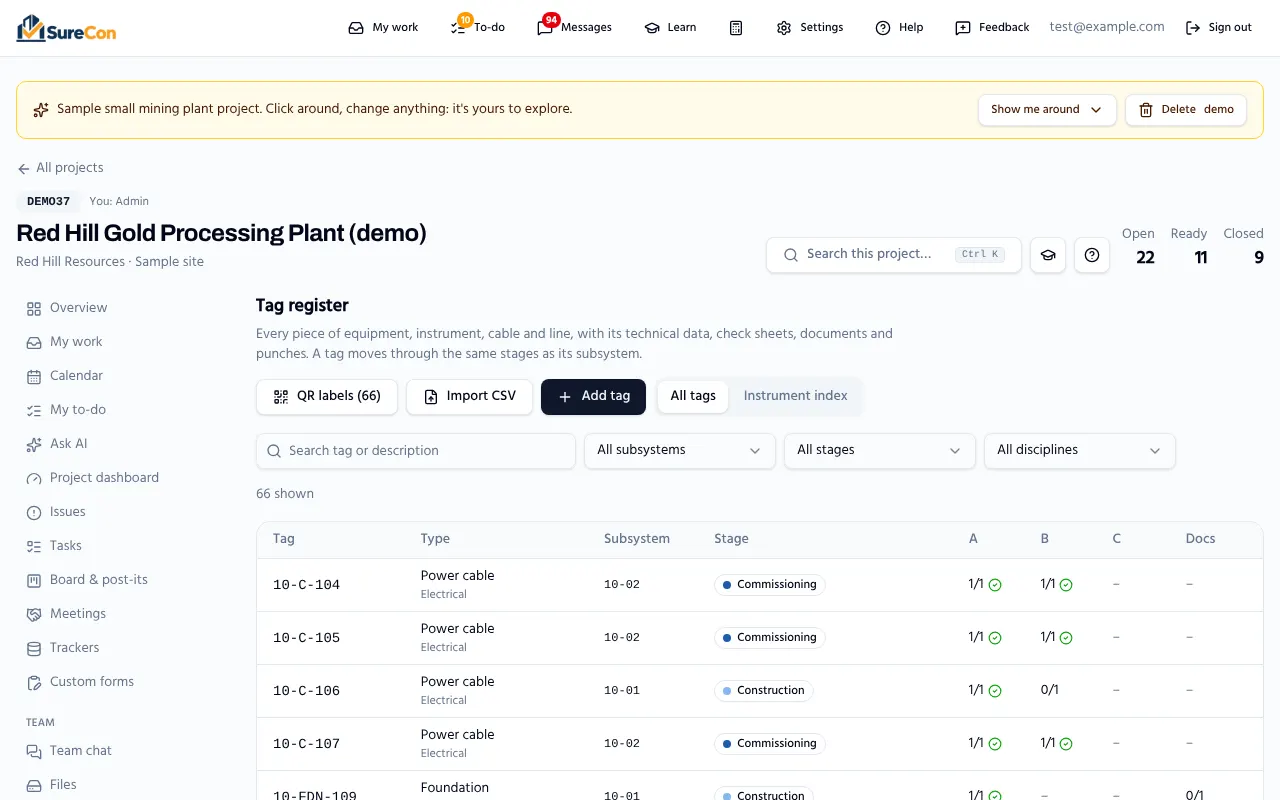
A CSV with at least Tag, Type and Subsystem columns. Download the free tag register template for the exact columns; extra columns become technical data.
- 3
Import it
Tags → Import CSV. Check the summary, then import. Re-importing later updates existing tags.
- 4
Check sheets appear
Each tag gets the check sheets its type needs (A construction, B pre-commissioning, C commissioning), plus the documents it owes for handover.