
Quality & safety
Submit and review documents (redlines, weld maps, test packs)
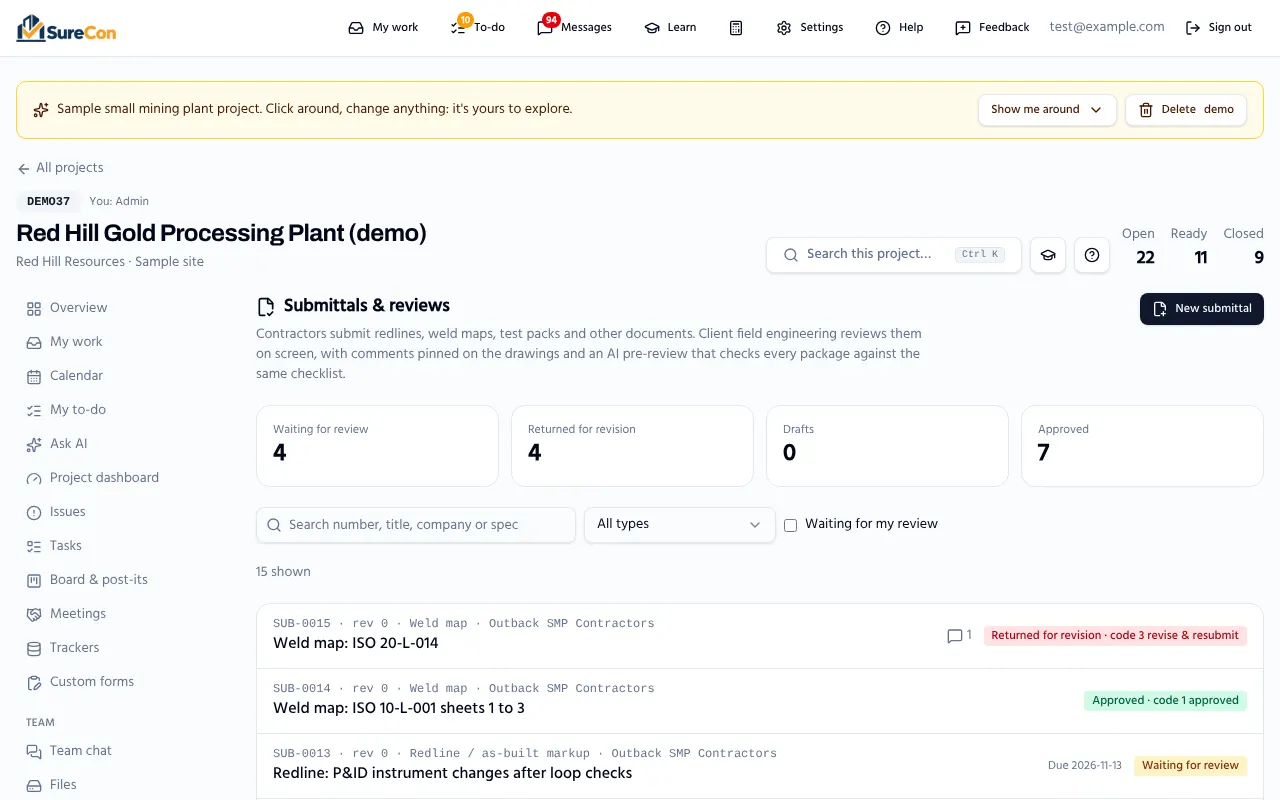
Contractors submit; client field engineering reviews on screen with AI-assisted checks.
- 1
Create the submittal
Engineering & documents → Submittals & reviews → New submittal. Pick what it is (redline, weld map, test pack, shop drawing, ITR…), give it a title and pick the reviewers.
- 2
Add the files and submit
Choose files to add (PDF is best), write a note for the reviewer if it helps, then Submit for review. The reviewers are emailed.
- 3
Run the pre-review (reviewers)
Open the submittal and press Run pre-review. It checks the files against the same checklist for that type every time (for a weld map: weld numbers, welders, WPS, NDE…) and against your specifications in the knowledge library. Rule checks such as duplicate weld numbers run even without AI.
- 4
Comment, on the drawing or in general
Add as comment turns a finding into a comment. Comment on a spot pins a comment exactly where the problem is on the PDF, like a redline. Mark each comment major, minor or note.
- 5
Return it with a code
Code 1 approved, 2 approved with comments, 3 revise and resubmit, 4 rejected. Codes 3 and 4 need a reason. The submitter is emailed.
- 6
Respond and resubmit (contractors)
Answer each comment, then Start rev 1, add the revised files and submit again. Earlier revisions stay available from the revision number, clearly marked as old.