
Tools
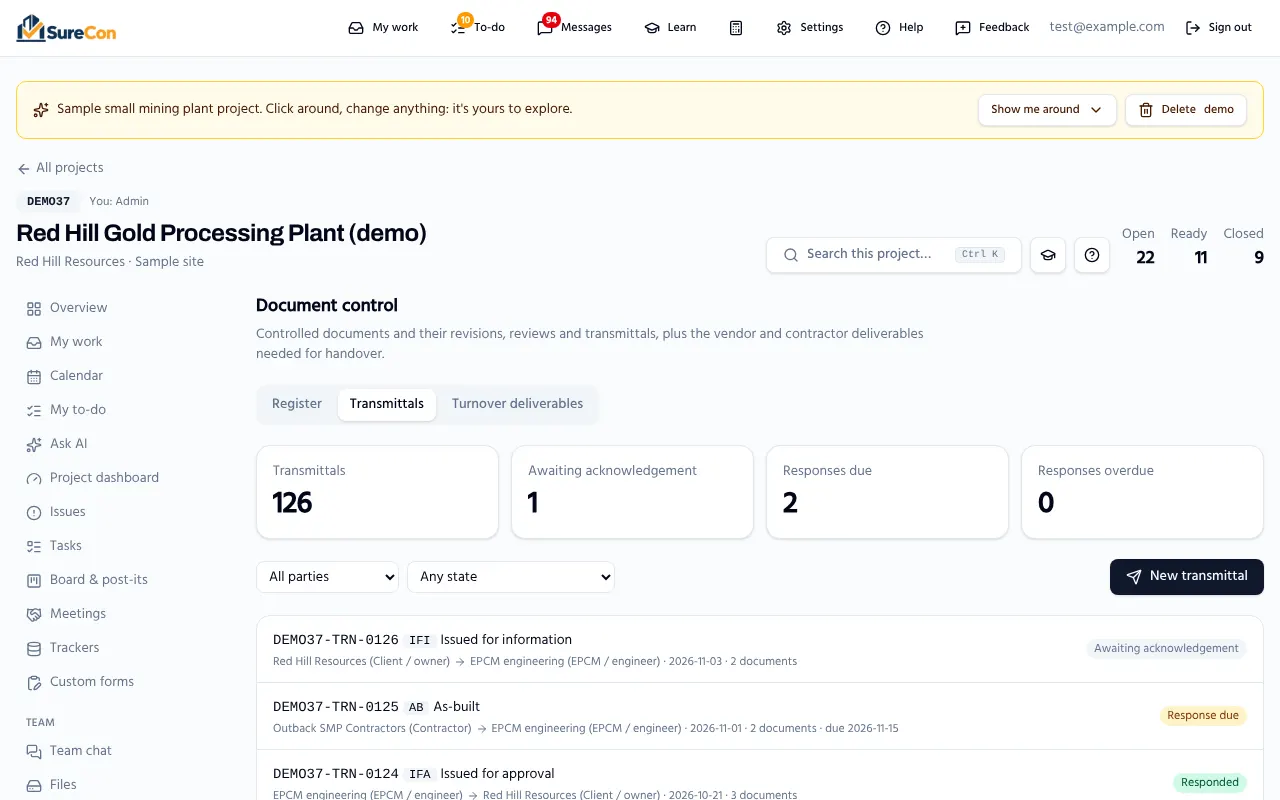
Transmit documents between client, EPCM and contractors
Issue exact revisions with a reason, get them acknowledged and answered with return codes.
- 1
Start a transmittal
Documents → Transmittals → New transmittal. Set who it's from and to, as a role (client, EPCM, contractor, vendor) and a company.
- 2
Say why it's issued
Pick the reason for issue: IFI, IFR, IFA, IFC, IFT, IFU, as-built or for record. Review and approval issues ask for a response, due in 10 working days by default.
- 3
Pick the documents
The current revision of each document is sent. IFC transmittals only accept revisions issued for construction, so nothing unapproved reaches site.
- 4
Notify by link
Tick the distribution list. They get a message and an email with a link; files stay in SureCon and are never attached, so everyone opens the same current copy.
- 5
Acknowledge and respond
The recipient acknowledges receipt, then answers with a return code per document (1 approved, 2 approved with comments, 3 revise and resubmit, 4 rejected) and a comment where needed. Overdue responses are flagged.
- 6
Print the cover sheet
Cover sheet makes a PDF with the documents, links to each file and the receipt and response record.