
Tools
Find any document
Search every document on the project in one place.
2 min
- 1
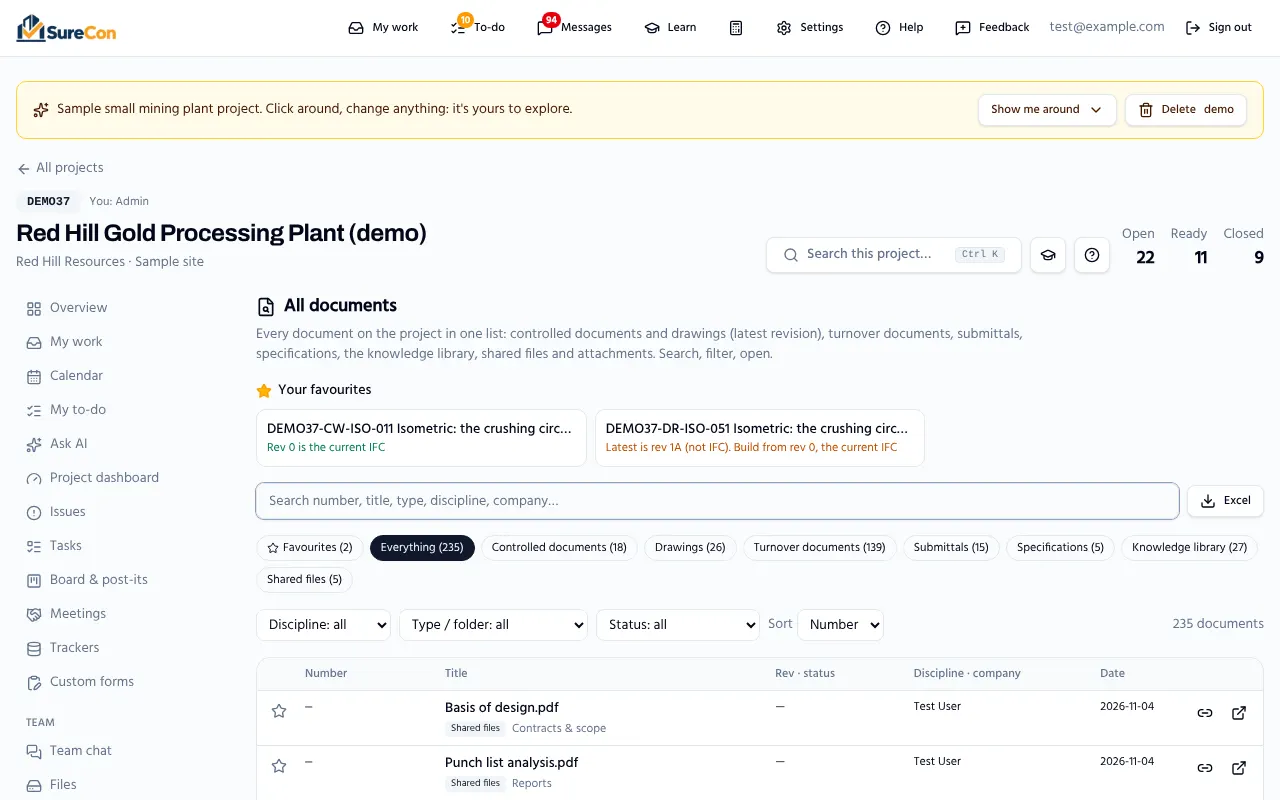
Open All documents
All documents is at the top of Engineering & documents in the project menu.
- 2
Search
Type a number or a few words: every word must match somewhere in the number, title, type, discipline, status or company.
- 3
Filter
Pick a source (drawings, turnover documents, submittals, specifications, library, shared files, attachments), then a discipline, type or status. Sort by number, title or newest.
- 4
Open or export
Click a title to open its page, or the arrow to open the file. Excel exports the filtered list as a document register.