
Tools
To-dos, reminders and the roster
Keep your own list with reminders, and plan who is on site each day.
- 1
Add a to-do
To-do at the top of the screen (or My to-do in a project). Type and press Enter, or New to-do for a due date, priority and project.
- 2
Set a reminder
Pick a time in Remind me, or use In 1 hour, Tomorrow 7:00 or Monday 7:00. You get a pop-up in SureCon with Done and Snooze, and an email.
- 3
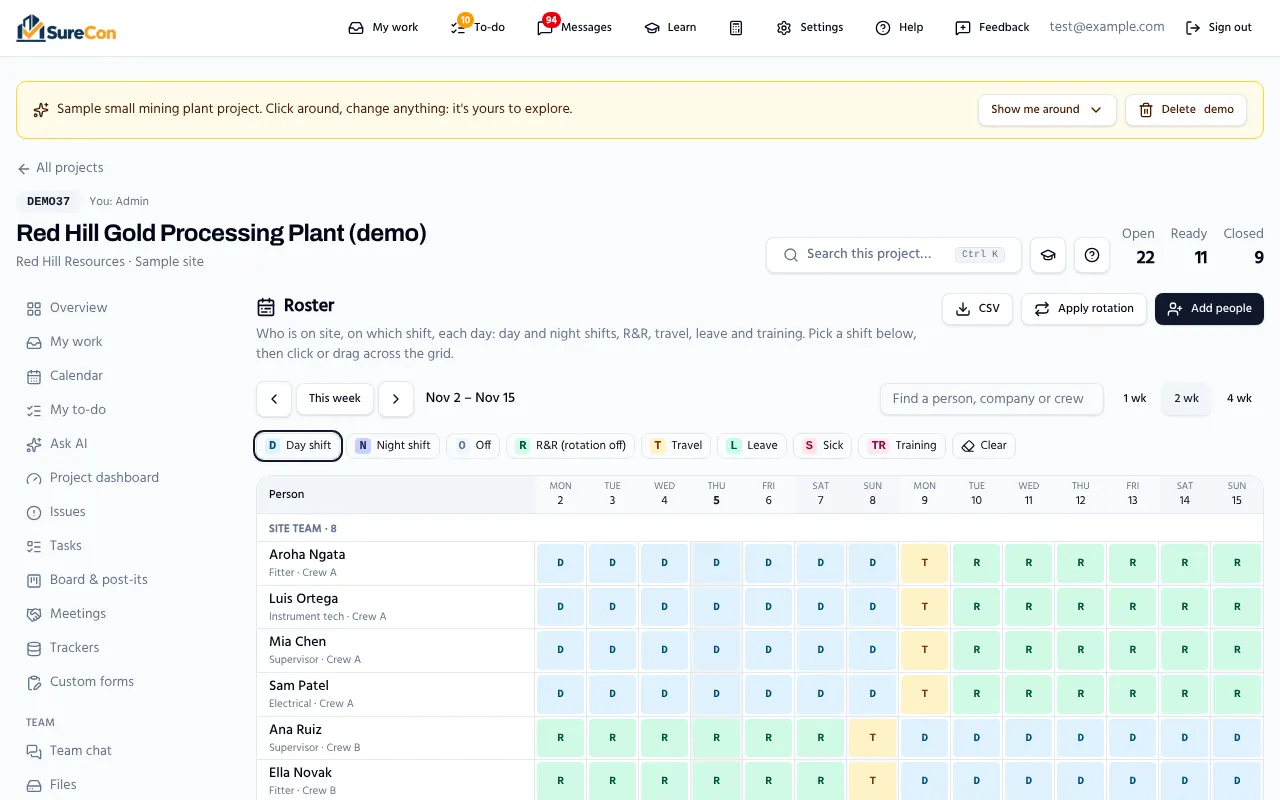
Build the roster
Roster (under People in the project menu) → Add people. Paste Name, Company, Trade, Crew from Excel, or add the project team.
- 4
Fill in shifts
Pick a shift code and click or drag across days. Apply rotation fills weeks at once for a crew: 5/2, 4-on-4-off, 8/6, 14/7, 14/14, 21/7, 28/28 or a 2-2-3 panama roster.
- 5
Check headcount
The rows at the bottom count day and night shift on site each day. CSV downloads the roster for payroll, camp or flight bookings.