
Quality & safety
Set up the spec book and track required submittals
Add spec sections, find the submittals each one requires, and follow them to approval.
4 min Admins and inspectors set up sections; anyone but viewers can create the submittals.
- 1
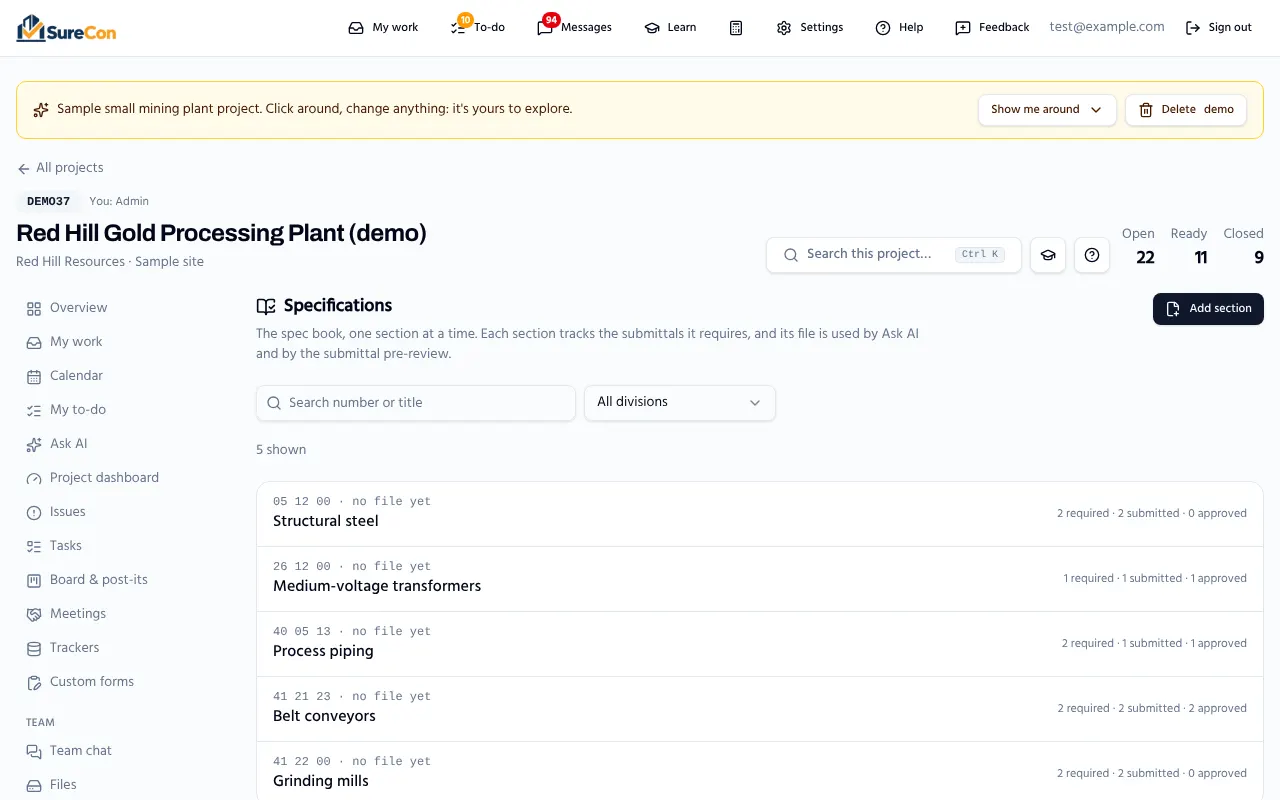
Add a section
Engineering & documents → Specifications → Add section. Enter the number (e.g. 40 05 13) and title, and attach the section's file.
- 2
Find what it requires
Open the section and press Find required submittals in the text. Untick anything that isn't required and add the rest to the log, or add items by hand.
- 3
Create the submittals
Create submittal on each line makes a draft submittal linked to the section. The log then shows its status until it's approved.
- 4
Keep the section current
Upload new version replaces the file everywhere. Older versions stay available from the version picker, clearly marked as old.