
Handover
Share punch items with subcontractors and collect e-signatures
Secure links for people without an account, and e-signatures with a full audit trail.
- 1
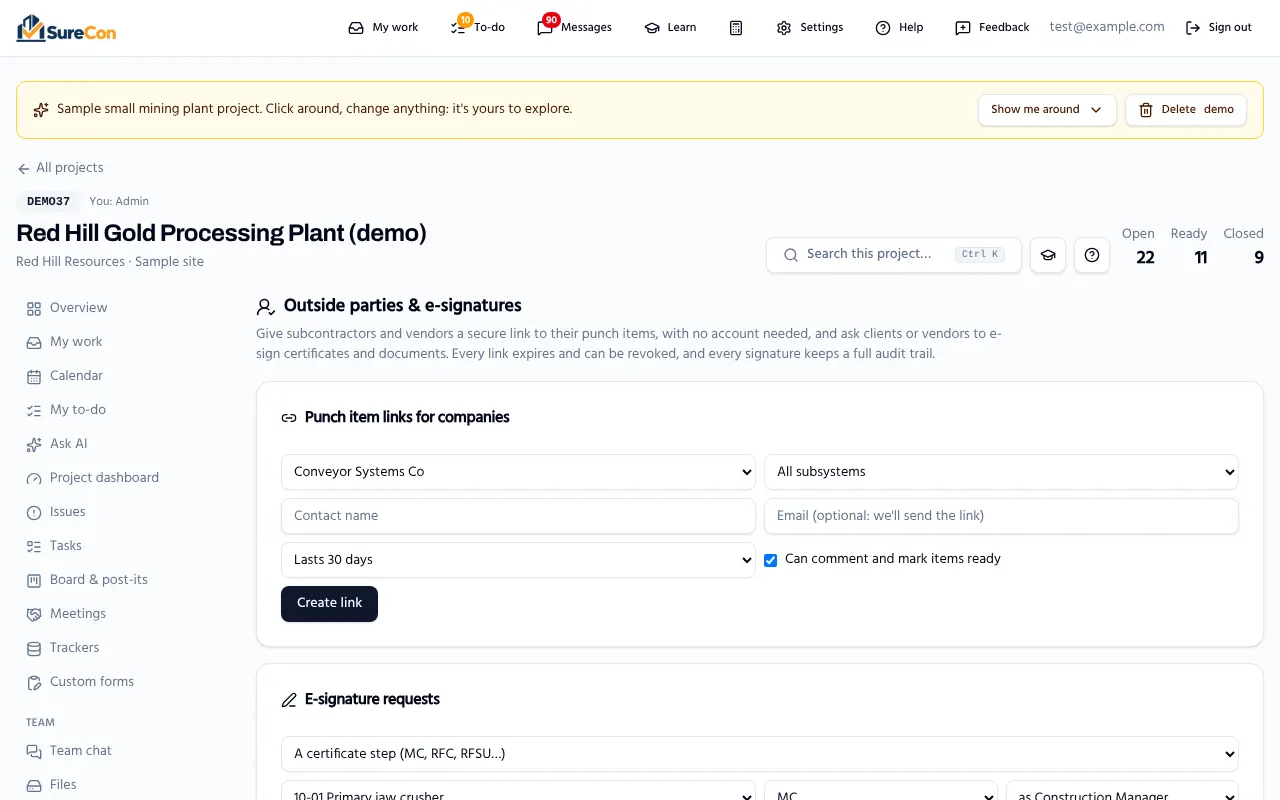
Give a company its punch items
Project → Outside parties. Pick the company (and a subsystem if you like), the contact's name and email, and how long the link lasts. They get an email with a link: no account needed.
- 2
They respond
The link lists the company's open, ready and recently closed items. They can comment and mark items ready for inspection; it shows in the punch history under their name, marked as an external link.
- 3
Ask for a signature
Under E-signature requests, pick a certificate step (for example RFSU, as Operations Representative) or a document, and the signer's name and email. They get an email with a link.
- 4
How signing works
The signer confirms their email with a 6-digit code, reviews the readiness checks or opens the document, ticks the consent, then draws or types their signature, or declines with a reason.
- 5
Keep the record
Record downloads a PDF with what was signed (and its SHA-256 fingerprint), the signature, and every step with time, network address and device. A signed certificate step shows in Handover like any other signature.