
Tools
Track, print and export check sheets (ITRs)
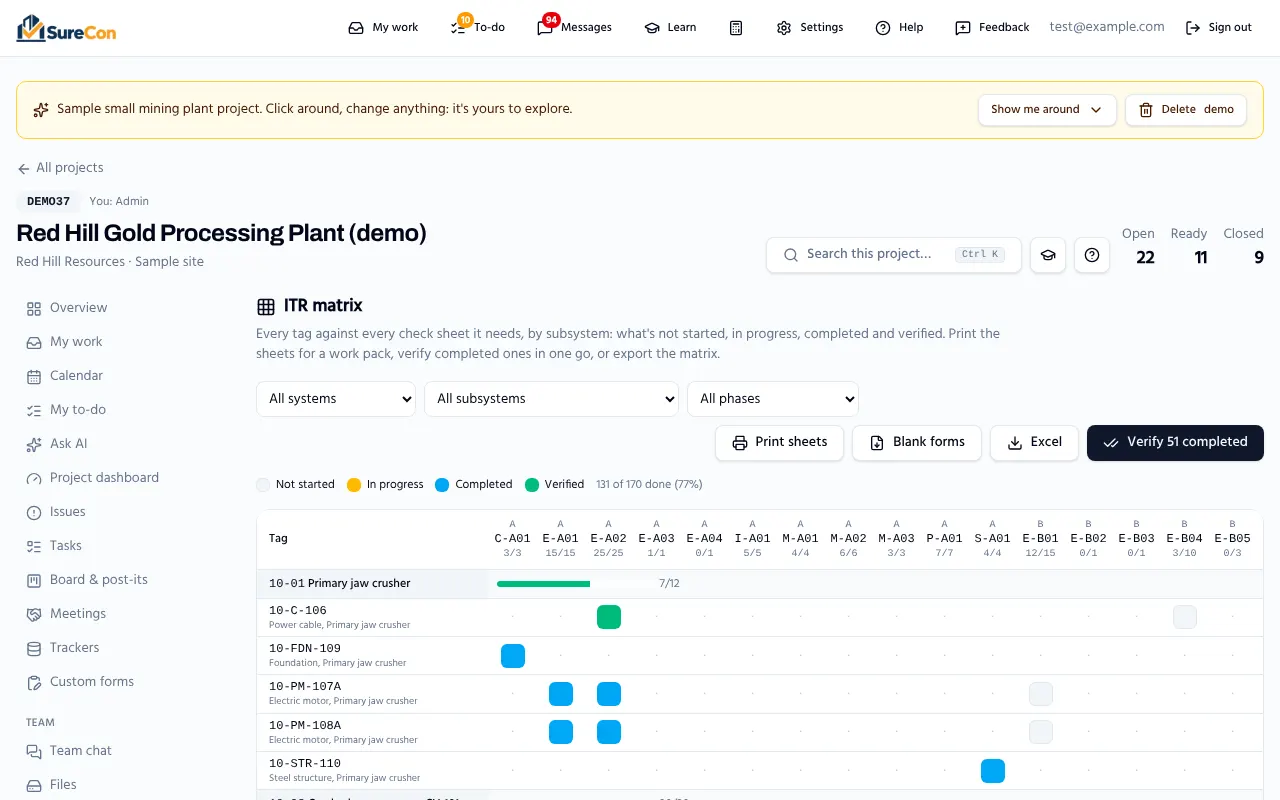
See ITR status by tag and subsystem, print sheets for work packs, verify in bulk and export the completions database.
- 1
Open the matrix
Completions → ITR matrix. Filter by system, subsystem or phase (A construction, B pre-commissioning, C commissioning). Column heads show how many of each sheet type are done.
- 2
Print work packs
With a subsystem picked, Print sheets makes one PDF of its check sheets with results and sign-offs; Blank forms gives tick boxes and empty sign-off blocks for site. A single sheet prints from its own page with Print / PDF.
- 3
Scan back in
Each printed sheet carries a QR code. Scan it to open the sheet in SureCon and record the results, so the paper copy and the database stay the same.
- 4
Verify in bulk
Verify completed checks the sheets in the current filter that are completed and marks them verified with your name and today's date. Sheets not yet completed are left alone.
- 5
Export
Excel on the matrix exports it as shown. Export all on Check sheets, or Reports → Completions database, downloads the full completions data in one workbook.