
Field work
Keep a daily log
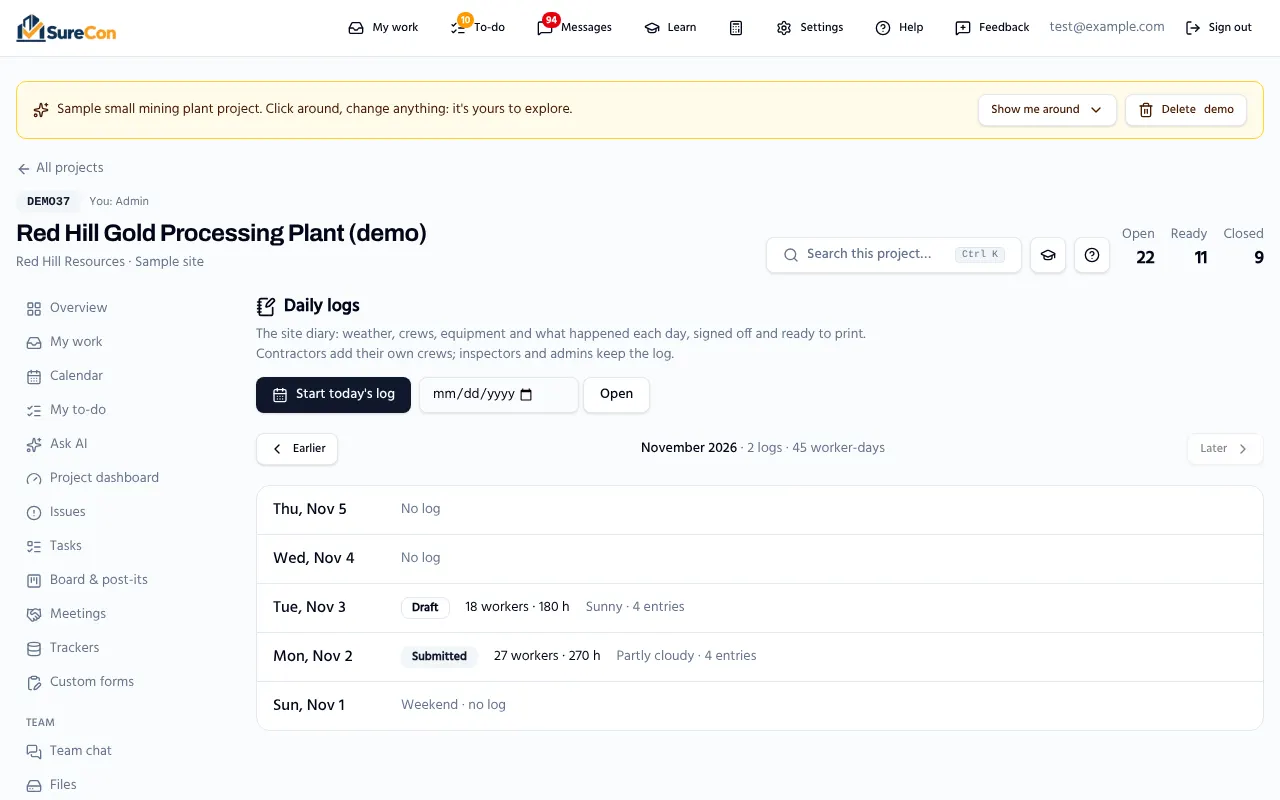
Weather, crews, equipment, work done, delays and photos, signed off every day.
- 1
Open today's log
Completions → Daily logs, then Start today's log. Tick Copy crews and equipment from the previous log to save typing on repeat days.
- 2
Check the weather
Look up the weather fills in temperature, rain and wind for the project's location. Add conditions that matter, like ground state or lightning holds.
- 3
Record crews and equipment
Under Manpower, add each company's trade, workers and hours. Under Equipment, add plant on site and whether it worked, stood by or broke down.
- 4
Write what happened
Under Site activity, add work done, deliveries, visitors, delays and safety events. Delays and incidents are highlighted in the report.
- 5
Add photos
Add photos from the phone camera. They also appear in the project's photo album.
- 6
Submit and approve
Submit the log when the day is done. An admin approves it, or reopens it if something needs fixing. Daily report (PDF) gives you a signed-off report to send.