
Tools
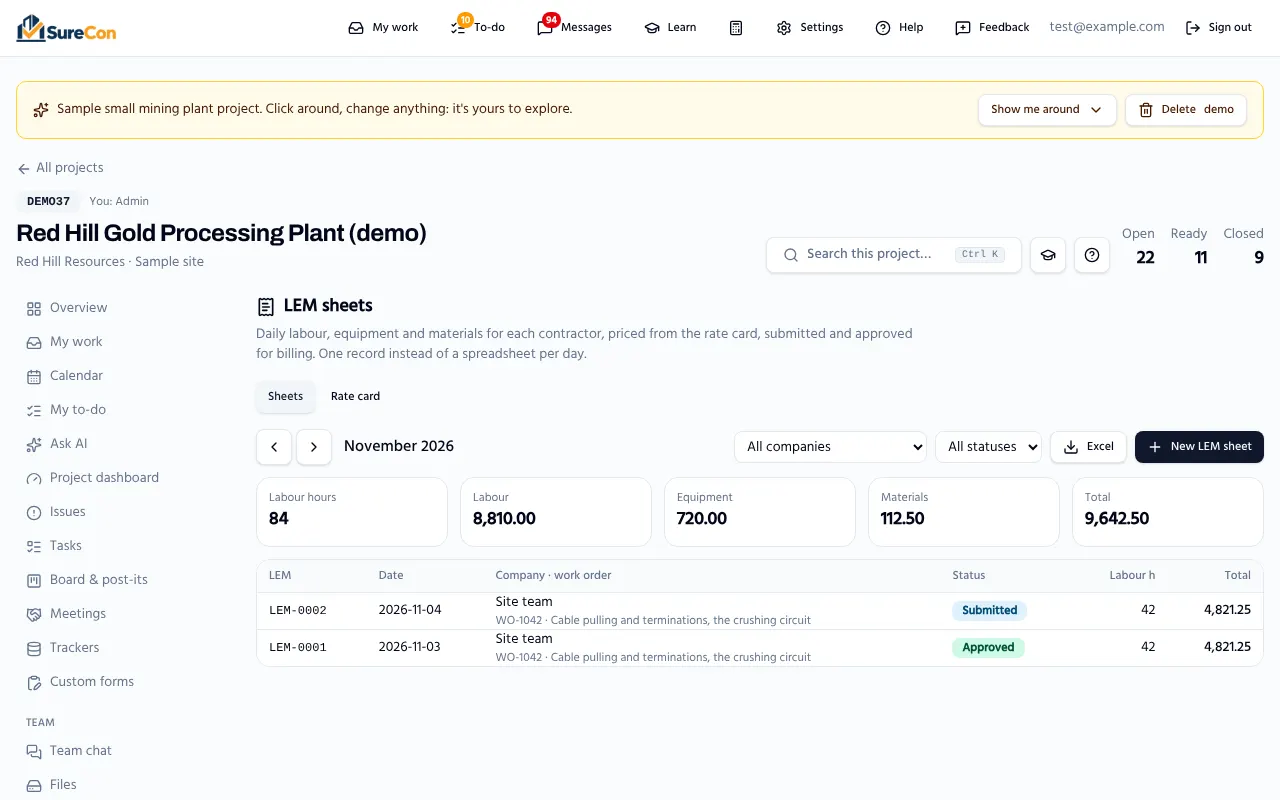
Track time and approve LEM sheets
Timesheets by cost code, a rate card, and daily labour, equipment and materials sheets for billing.
- 1
Set up the rate card
LEM sheets → Rate card (project admins): labour classifications with normal and overtime rates, equipment and materials with their unit rates. A rate can apply to one company or everyone.
- 2
Log your hours
Time → My timesheet → Add row with a cost code and activity, then type hours for each day. Tick OT for overtime and untick Bill for non-billable time.
- 3
Submit and approve time
Submit week when it's complete. Admins and inspectors approve or reject it under Approvals (a rejection needs a reason). Report totals hours by person, cost code or day, and exports to Excel.
- 4
Fill in a LEM sheet
LEM sheets → New LEM sheet for a company, date and work order. Add rostered crew pulls in who was on shift that day; add equipment and materials from the rate card and adjust quantities. Amounts and totals work themselves out.
- 5
Submit, approve, invoice
The contractor submits; an admin or inspector approves or rejects. Approved sheets lock. PDF prints the sheet with its sign-off, and Excel exports the month's sheets for invoicing.