
Tools
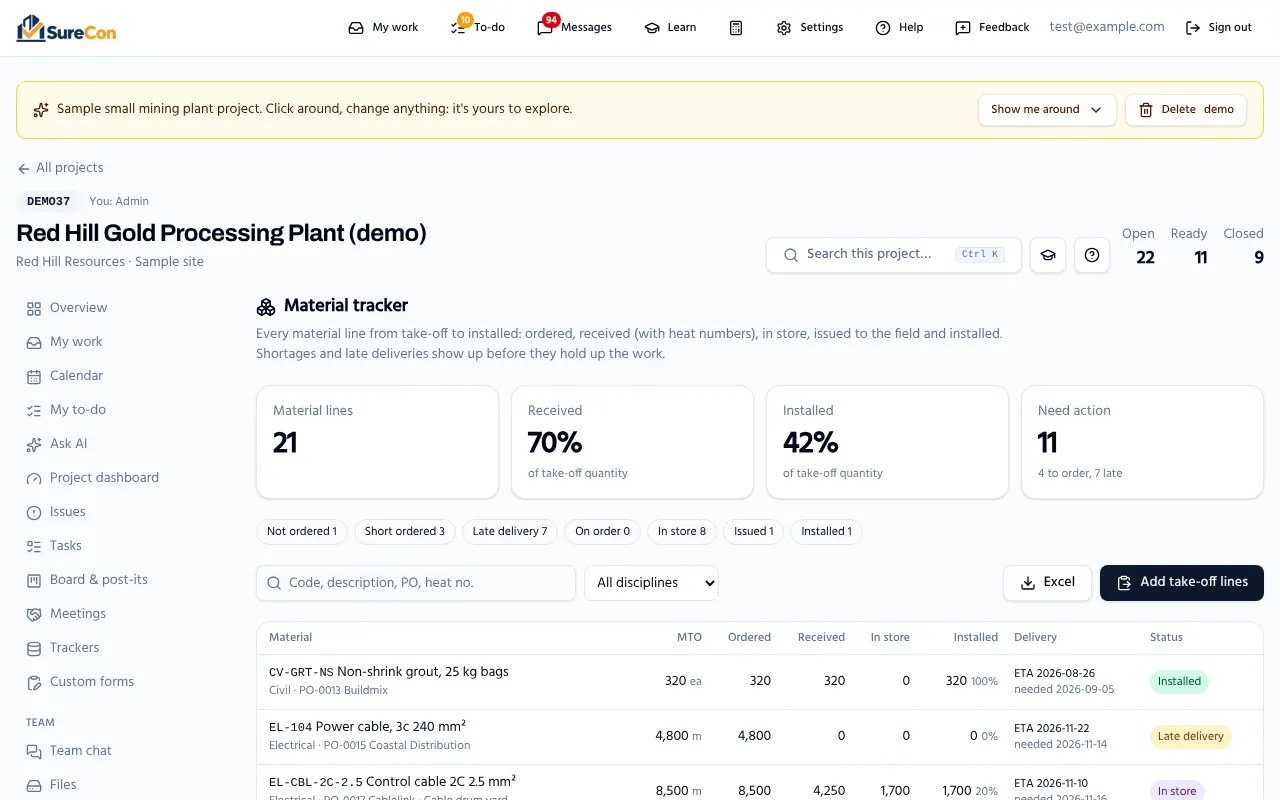
Track materials from take-off to installed
Load the MTO, follow orders and deliveries, and issue stock to the field.
- 1
Load the take-off
Material tracker → Add take-off lines and paste from Excel: code, description, discipline, unit, MTO quantity, ordered quantity, PO, vendor, required on site and ETA. Pasting again updates lines with the same code.
- 2
Watch the problems
Not ordered and short ordered lines need buying. Late delivery means the ETA has passed or lands after the date it's needed on site.
- 3
Receive
Open the line and choose Receive: quantity, receiving report number, heat or batch number for traceability to the mill certificate, and where it's stored. Note any damage or shortage.
- 4
Issue and install
Issue to field against a work pack, return what isn't used, and record what's installed. The tracker won't issue more than is in store.
- 5
Report
Filter by status or discipline, search by PO or heat number, and export the tracker to Excel.