
Tools
Build your own reports and email them on a schedule
Pick columns, filters and a grouping; download as Excel or PDF, or have it emailed every week.
- 1
Start a report
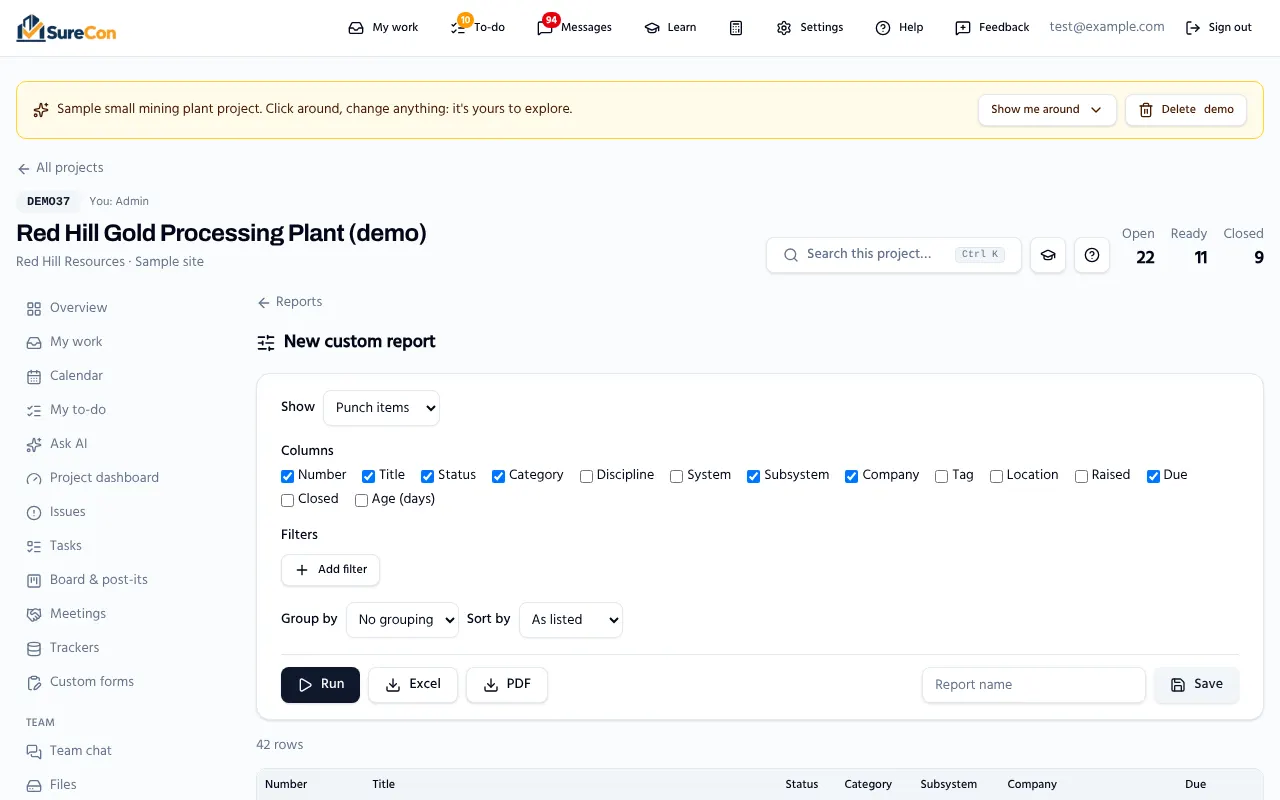
Reports → New custom report. Choose what to show: punch items, check sheets, tags or documents.
- 2
Shape it
Tick the columns you want, add filters (for example Status is open, Due before a date), group by a field such as Subsystem or Company, and sort. Run to see the result and the counts per group.
- 3
Save and download
Name it and Save (admins and inspectors). Download it as Excel or PDF any time; it's always built from live data.
- 4
Email it on a schedule
Reports → Email reports on a schedule. Pick a standard or custom report, daily, weekly or monthly, the time (in your time zone) and who gets it. Send now checks it straight away.
- 5
Choose your own emails
Settings → Email: switch off the kinds of notification you don't want, and get a daily or weekly summary of what's waiting on you across all your projects.